
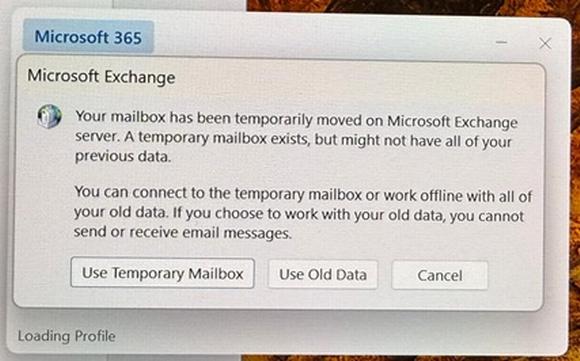
We are seeing a lot of people experiencing an error with Outlook when the Office licence is 365 but their email is hosted by an on-premise exchange server.
It appears Microsoft has recently changed Outlook to check for Microsoft 365 servers first and fail if it doesn’t find the account. It does not then check for other exchange servers.
Our work around is to add a registry entry which bypasses the 365 servers so that the autodetect settings can now be found as normal.
HKEY_CURRENT_USERSOFTWAREMicrosoftoffice16.0outlookautodiscover
DWORD: ExcludeExplicitO365Endpoint
Value = 1
Once this registry entry has been added the email profile can be re-added and the email downloaded from the server.
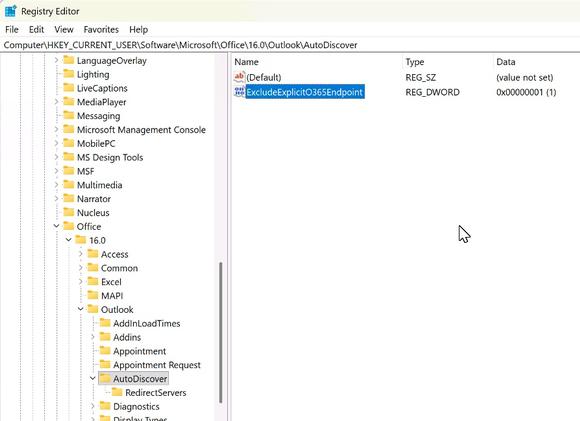
What the registry entry should look like once in place